From 'what's a prompt' to a deployed dashboard in three lessons
A dependency-free, self-paced course that takes non-developers from prompting basics to a live, deployed AI-built app.
- Vanilla JavaScript
- HTML/CSS
- Cloudflare Pages
Where this could work for other businesses
The obvious fit is exactly what this project already is: a training product any office could hand to a non-technical team to build real, practical AI skills — worth saying plainly, since it’s the whole point, and then moving straight past it.
Professional bodies and membership associations are a stronger, less obvious fit — an accountancy institute or a law society running continuing-education credits could license the same three-lesson structure as a member benefit, with the worked examples swapped for scenarios specific to that profession rather than a generic office.
Educational institutions are another real one: a secondary school or further-education college teaching practical AI literacy as a module has the identical need — not a lecture on what a large language model is, but a structured, hands-on path that ends with the learner having actually built and shipped something.
Public-sector and locked-down environments are a genuinely good fit precisely because of a decision that looks like an accessibility choice but is really a security one: no CDN dependencies, no third-party scripts, nothing to vet before it’s allowed to run. Any organisation with a security team that has to approve every external dependency before staff can use a tool gets a training platform that clears that bar by construction, not by exception.
Strip the AI-training subject matter away entirely and the underlying instructional mechanism is: compare a weak, adequate, good, and excellent version of the same output side by side, then immediately hand the learner a sandboxed space to attempt their own. That structure teaches judgment, not just recognition, and it applies to training any skill where “good” is a matter of degree rather than right-or-wrong — writing a customer-service reply, drafting a incident report, calibrating a performance review. The AI-prompting content is one instance of a training pattern, not the only thing it can teach.
The problem
Most AI-skills training for office staff is one of two things: a single lunch-and-learn that’s forgotten by the following week, or a generic “prompting 101” course that explains the theory and stops there. Neither produces someone who can actually use AI well at their own desk, because neither one requires the learner to build anything real. Reading about a good prompt and being able to write one yourself are different skills, and a course that only ever shows the correct answer teaches recognition, not judgment — a learner still can’t tell a mediocre attempt from a great one when it’s their own.
The goal
Take a non-technical office worker from “what’s a prompt” to having actually built and deployed something real — a working dashboard, live on the internet — across three self-paced lessons, using worked comparisons and hands-on practice rather than lecture-style explanation.
What it does
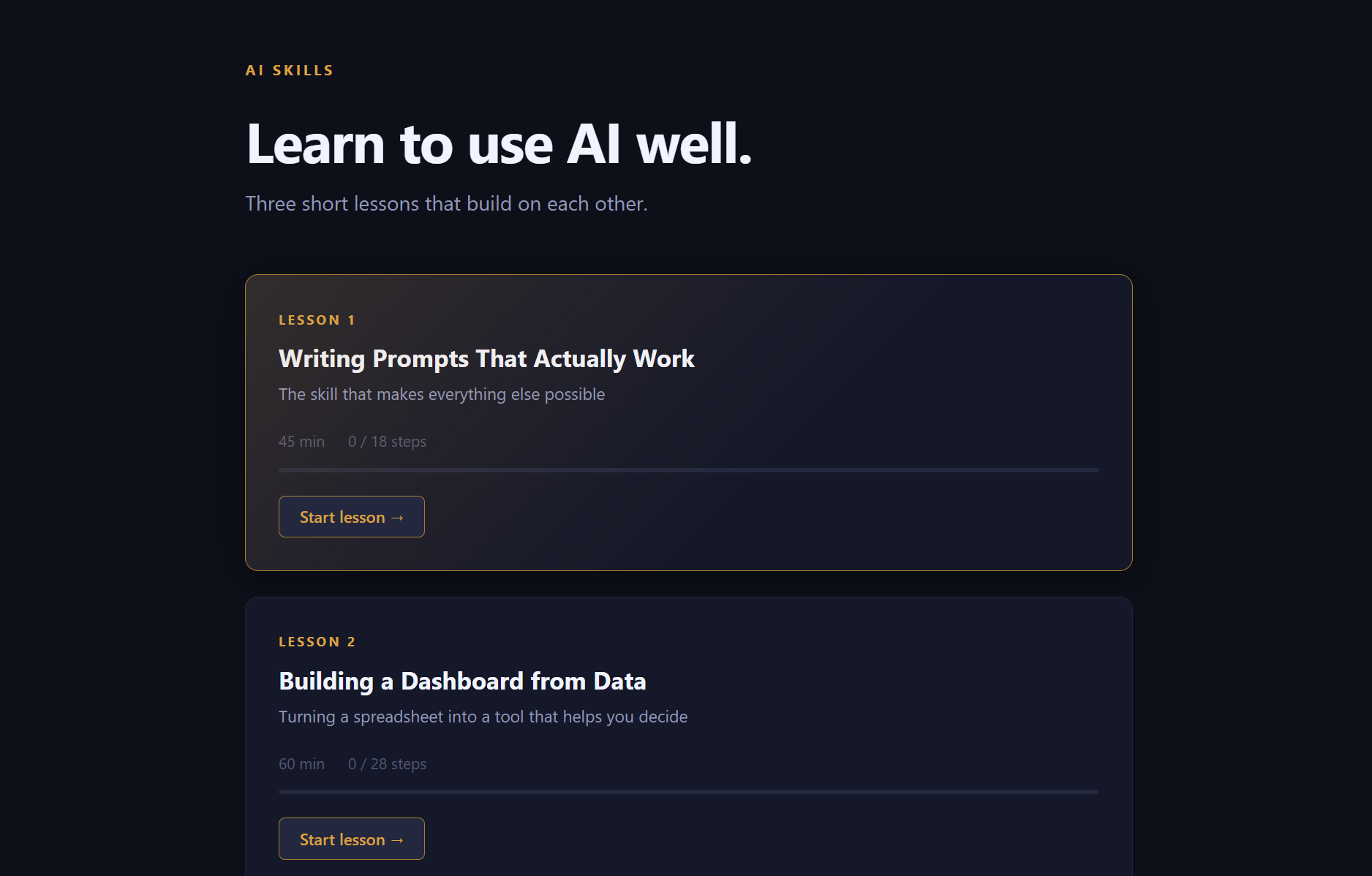
The home screen is a set of lesson cards, each with its own progress bar and a reset-progress option, so a learner can see exactly where they are and pick back up without losing their place:
Each lesson is a sequence of steps rendered by the same small set of reusable building blocks: a plain reading block, a copyable prompt a learner can lift directly, an annotated sample of what AI actually returned for that prompt, and an editable scratch box that autosaves whatever the learner types.
The standout mechanic is the worked “compare” step — a prompt and its output shown at four calibrated rungs, Bad, OK, Good, and Excellent, side by side with a short note on what separates each one from the next:
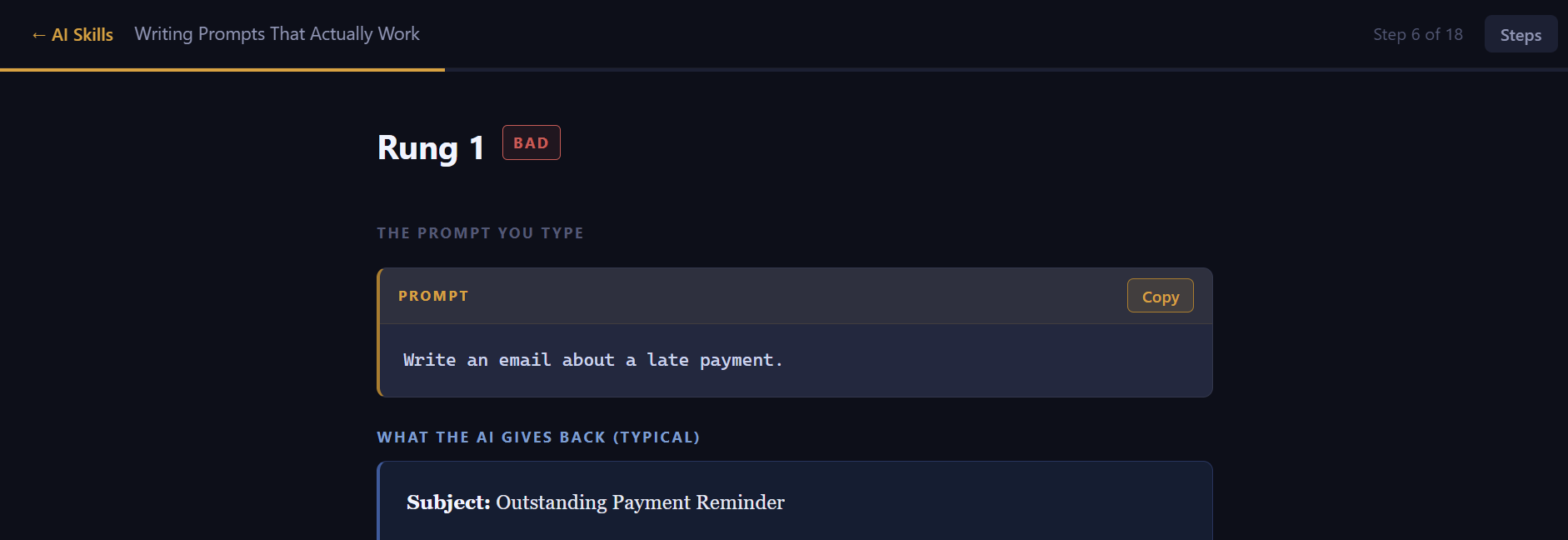
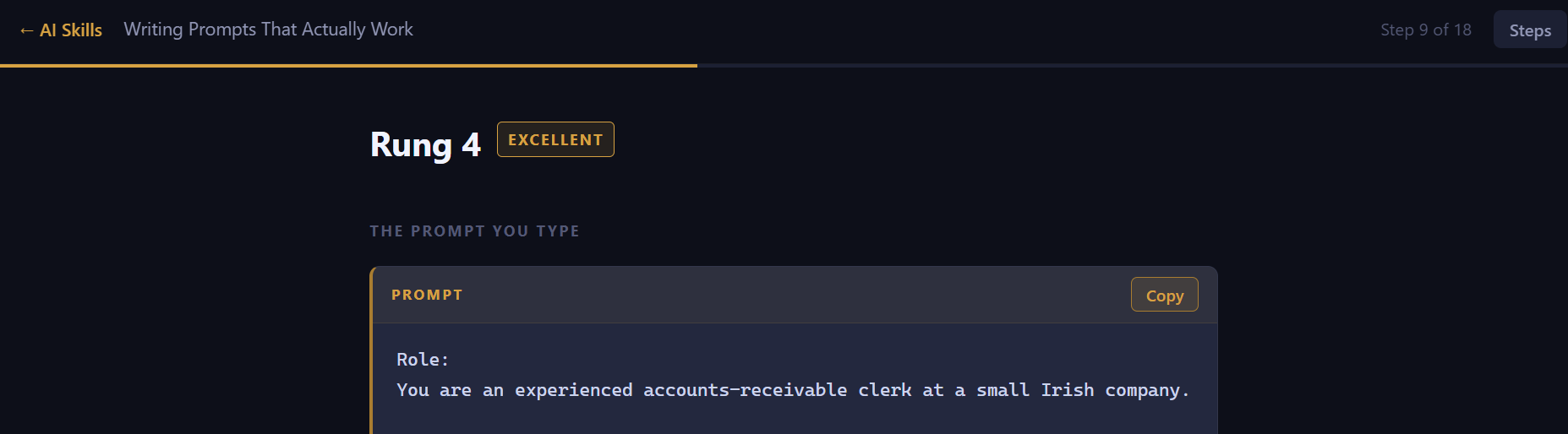
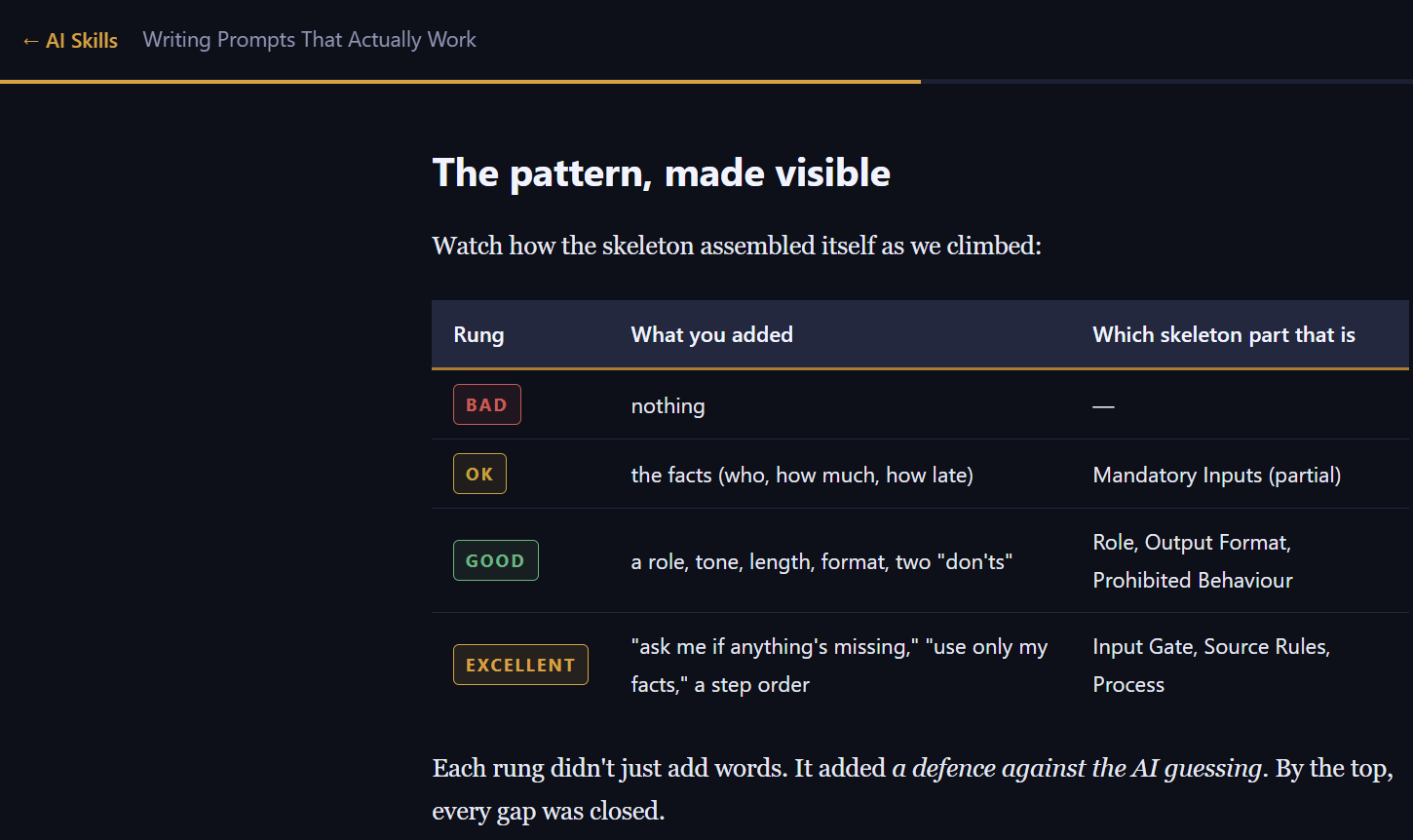
That’s deliberately not “here’s a good prompt, go and do likewise” — it’s showing the actual gradient of quality, so a learner develops a feel for the difference rather than just copying a template. Every worked example closes with a summary of exactly what each rung added and why:
Checkpoint steps ask a judgment question with several options and reveal the learner’s saved choice on return:
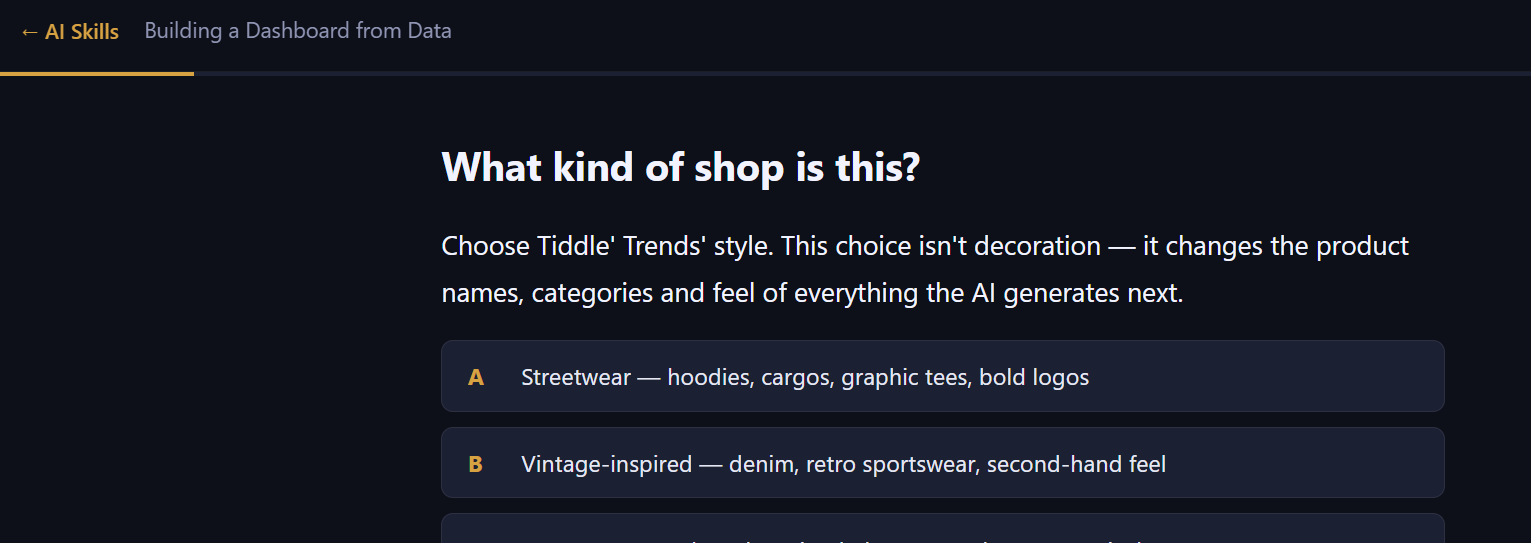
And exercise steps hand the learner a task with no answer given, so the practice is real rather than another worked example to read:
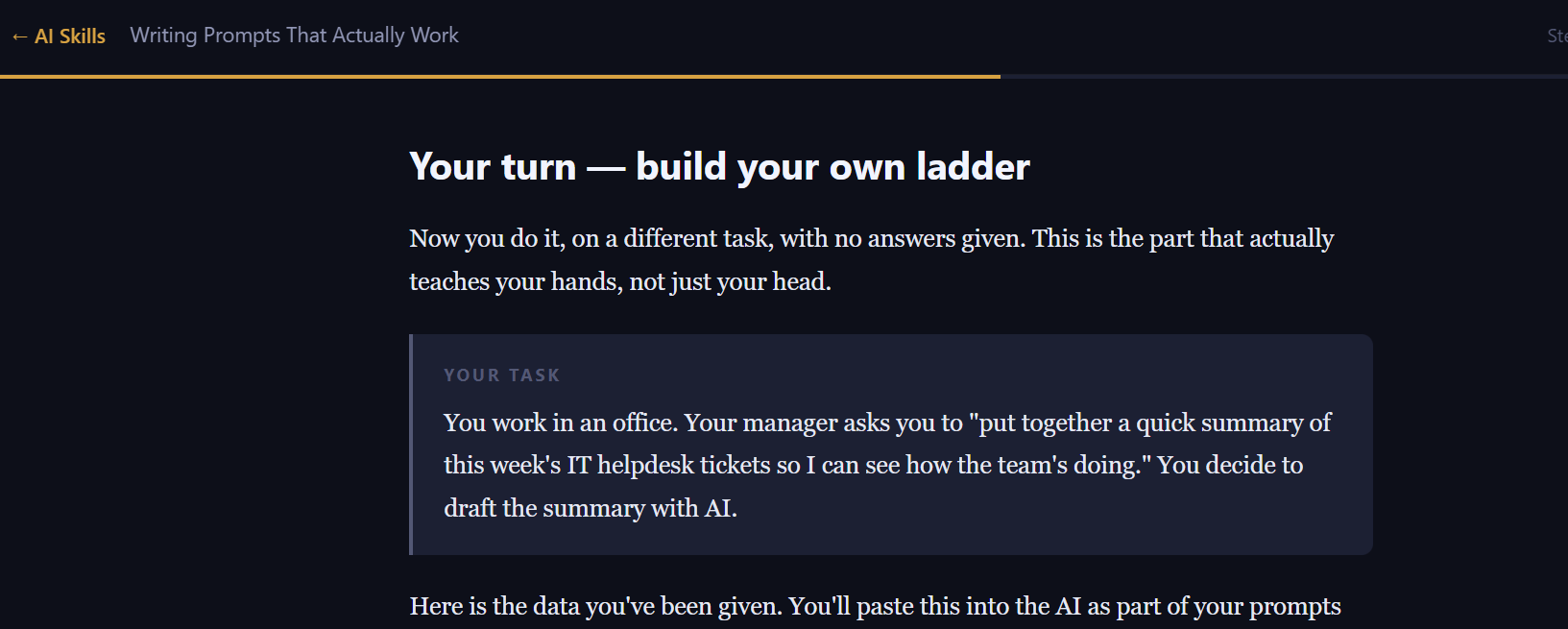
Lesson one builds the underlying framework and works through the graduated examples. Lesson two is where it stops being theory: the learner builds an actual dashboard from a fictional shop’s sales data, prompt by prompt, seeing what a real AI-assisted build looks like end to end. Lesson three closes the loop by teaching deployment — taking that dashboard from a local build to something genuinely live on the internet — because a course that ends at “you understand the theory” hasn’t actually proven anything to a rightly skeptical office worker.
The build
Built with Claude Code, around one deliberate constraint that reads as an accessibility choice but is really a security one, informed by an audit background: zero external dependencies. No CDN scripts, no third-party trackers, nothing that has to be vetted before it’s allowed to run in a workplace. The entire course runs as a static folder that opens and works with nothing to install — which also happens to make it trivially deployable, since it needs no build pipeline and no server configuration at all.
Content is deliberately separated from the engine that renders it: each lesson’s material lives as structured data, not hardcoded into the interface, so writing a fourth lesson is a content-authoring exercise, not a coding one. The four step types — reading, copyable prompt, annotated sample, editable scratch box — are a small, closed library rather than one-off page templates, which is what makes the compare-step mechanic reusable across every lesson instead of being special-cased once. Routing is handled entirely client-side, keyed off the URL, so a specific step in a specific lesson is always a shareable, refreshable link without any server involved, and progress is stored per browser under its own namespaced key so it can’t collide with anything else stored locally.
Problems & solutions
Symptom: an early instinct for teaching prompting well is to show a single “good” example and move on. Diagnosis: showing only the correct answer teaches recognition, not judgment — a learner still can’t place their own attempt on the spectrum between mediocre and great. Fix: build every worked example as a four-point comparison instead of one ideal answer, so the lesson teaches the actual gradient of quality, not just the ceiling.
Symptom: a course that’s all reading produces people who’ve read about prompting, not people who can prompt. Diagnosis: understanding a skill and being able to perform it are different things, and nothing in a pure-reading format forces the second. Fix: pair every worked example with an immediate, autosaved scratch space, so the very next action after seeing a good answer is attempting one’s own, in place.
Symptom: the intended audience — non-technical, security-conscious office staff — is understandably wary of anything requiring an install step or an unfamiliar external dependency. Diagnosis: for this audience, a CDN script or third-party package isn’t a convenience, it’s one more thing somebody has to trust blind. Fix: build the entire course dependency-free, so there’s nothing to install, review, or worry about before it can be used.
Symptom: teaching “use AI well” purely in the abstract doesn’t stick, and a course that stops at understanding hasn’t demonstrated anything real. Diagnosis: a skeptical office learner needs to see the whole arc, not just the first mile. Fix: anchor the second and third lessons around one continuous project — building a dashboard from real-looking sales data, then actually deploying it — so the course ends with something live that the learner built themselves, not a completion badge.
The stack
| Component | Why |
|---|---|
| Vanilla JavaScript | No framework, no build step, no dependency to review — matches the zero-trust-dependency design goal exactly |
| HTML/CSS | A dark, editorial-styled reading experience that works identically on a phone or a laptop |
| Cloudflare Pages | Free static hosting with zero configuration — appropriate for a dependency-free single-page app |
Results
The course is feature-complete for its first three lessons: every step type works, progress persists and survives a refresh, and the worked-example structure holds up across all three lessons’ worth of content rather than being a one-off gimmick in lesson one. The deployment lesson has proven the whole loop end to end — a learner really can go from opening the course to having a live, working dashboard of their own, which is the entire premise the course is built to prove.
What’s next
The course itself is ready; the product around it isn’t yet. Turning this from a working prototype into something an office can actually buy and roll out to a team means building the delivery and access layer next — who gets a licence, how progress is tracked across a whole team rather than one browser, and what a business actually receives when it signs up. That’s deliberately separate, later work from the course content itself.